Guide
Using Legible
A tour of the product: what each feature shows, where the data comes from, and which parts need a Professional plan or PPSR credits.
Searching for a company
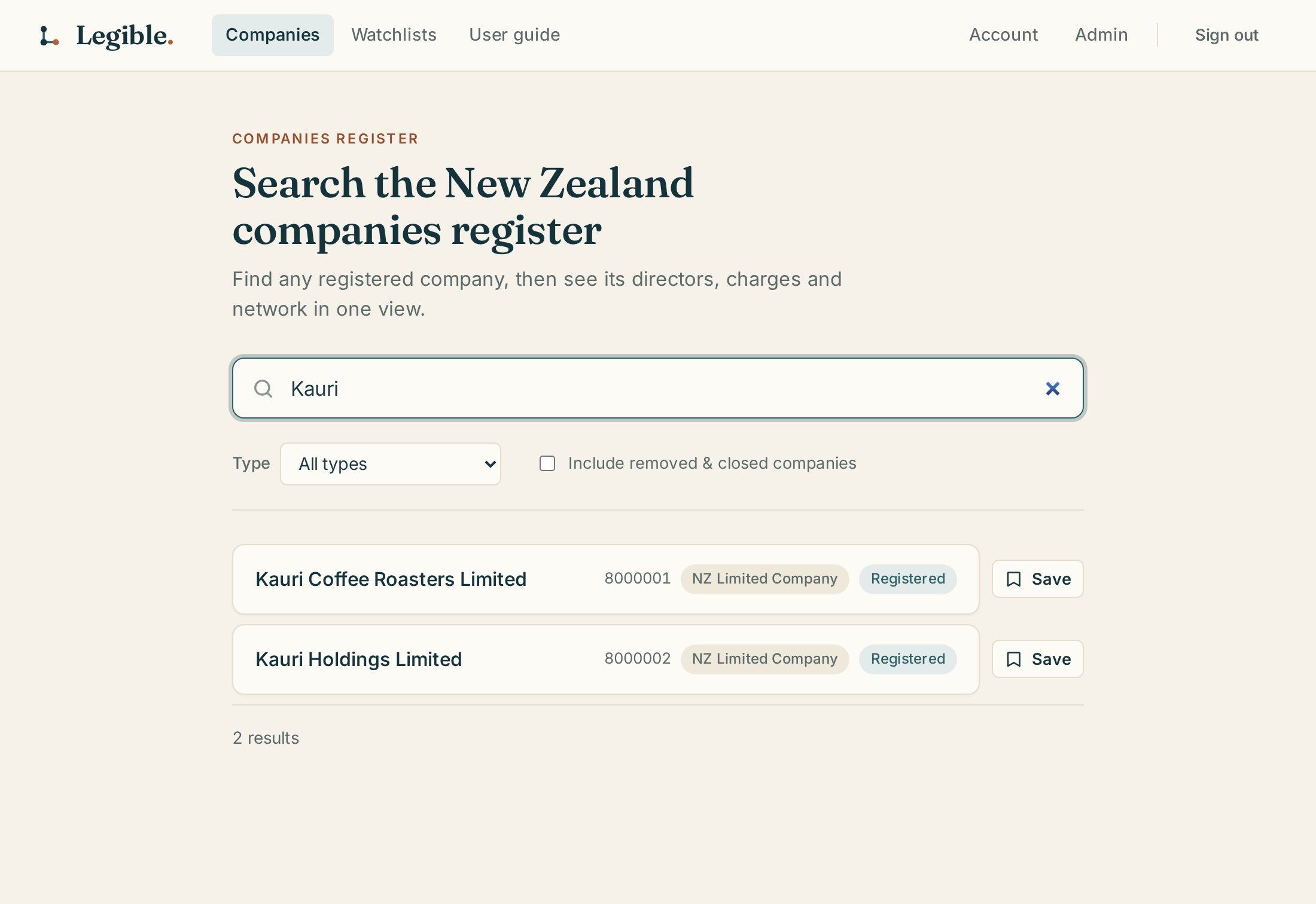
Type a name into the search box on the Companies page. You can also paste an NZBN or company number. Results come straight from the live NZBN register, so even a company incorporated this morning will show up.
By default the results leave out entities that no longer exist. If you're looking for a struck-off or liquidated company, tick Include removed & closed companies. The Type filter narrows results to a particular entity type.
Fictional sample data.
Search is unlimited on every plan, including Free.
The company profile
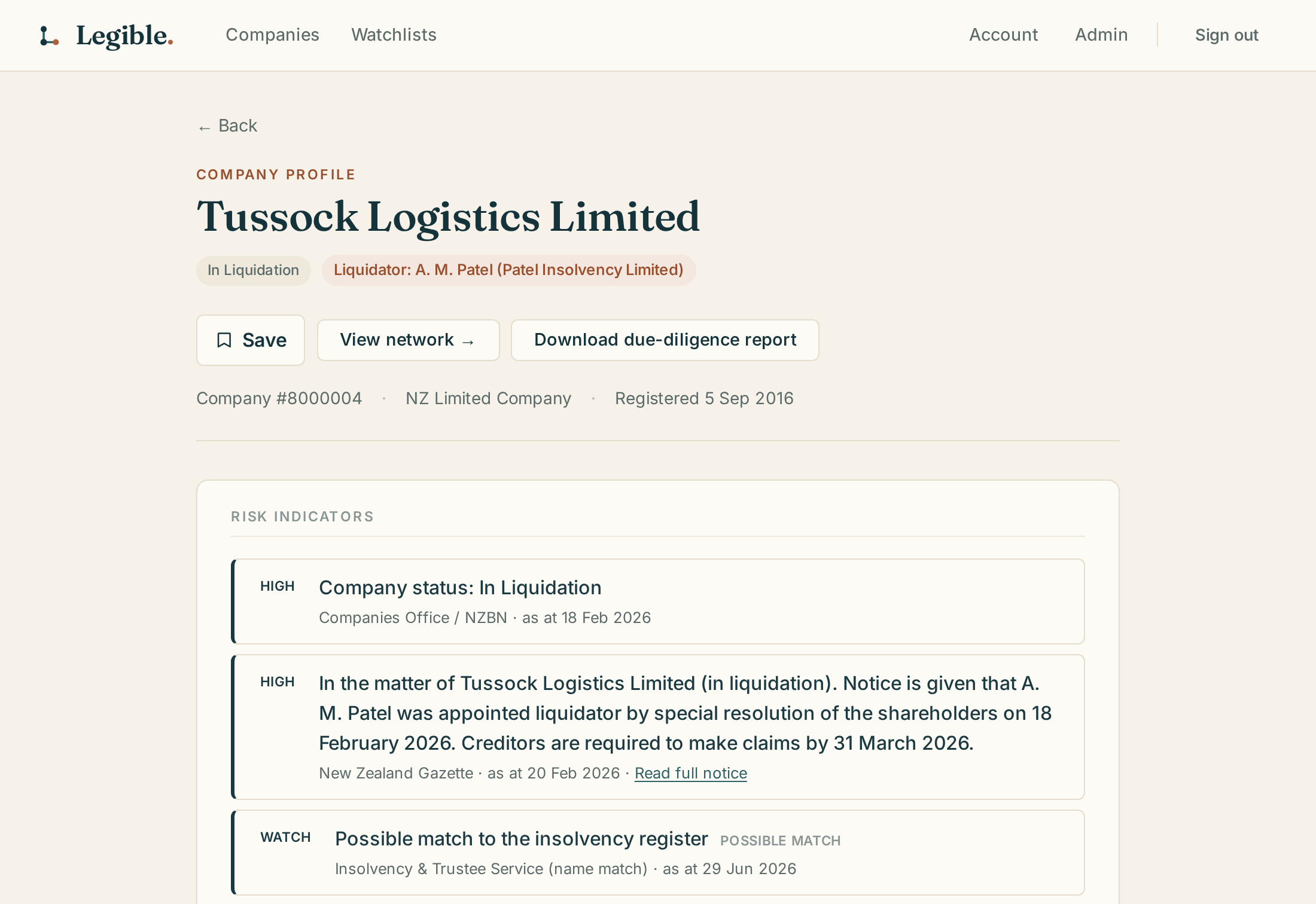
Open a search result to see everything about the entity in one place: its details, trading and previous names, status history, a dated timeline of register events, every director, officer and shareholder role, and any PPSR or insolvency checks you've already run. If a director matches the Disqualified Directors register, a flag appears under their name.
Fictional sample data.
Most of the profile is fetched live when you open it, and every dated field carries an as-of date so you can tell how current it is. A few fields (shareholders and the registered-office count, for example) come from the Companies Office monthly snapshot instead, and the page marks those with the snapshot date.
Risk indicators
The panel at the top of the profile collects any adverse signals in one place. Each signal is labelled High, Watch or Info, names its source register, and is dated. Some NZ registers identify people and companies by name only, with no unique number to match on, so where a match rests on a name alone it's labelled Possible match and left for you to judge.
Free shows four signals: a Disqualified Directors match, an adverse company status (liquidation, receivership, strike-off), a recently-incorporated flag, and a count of other companies sharing this one's registered office.
Professional unlocks the full panel: Insolvency Register matches, NZ Gazette notices (liquidation, receivership, statutory management, removal, winding-up applications), WorkSafe enforceable undertakings, MFAT Russia Sanctions Register matches, existing PPSR security interests, frequent name changes and director churn.
Network graph
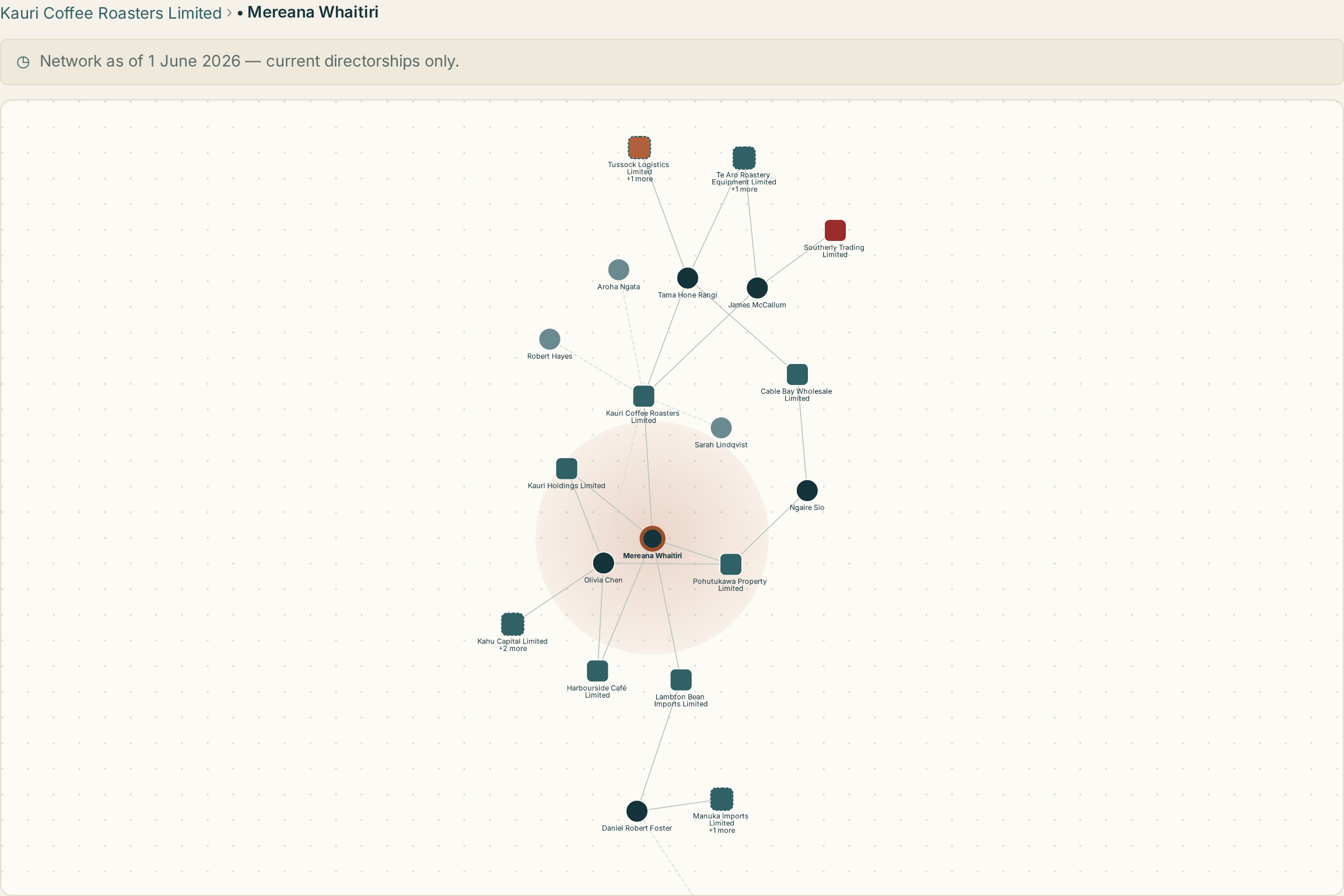
Click View network on a profile to see a graph of the company's directors and shareholders and the other companies those people are involved with. You can pan, zoom, and click any node to focus on it. The 1 degree / 2 degrees toggle controls how far the graph reaches: one degree shows the company's direct connections, and two degrees extends to what those connections are linked to in turn.
Fictional sample data.
Free includes 10 network views a month, and the page shows how many you have left. Only distinct companies count: re-opening a network you've already viewed that month, or switching degree on it, is free. Once you've used all 10 the graph is unavailable until the count resets next month. Professional is unlimited.
NZ company registers don't assign each person a single ID that carries across every company they're involved with, so when the same name turns up as a director of more than one company, Legible has to infer whether that's actually the same person — matching on name, address and overlapping co-directors. Most directors on the graph appear in only one role, so there's nothing to infer: identity is certain. Where records have been merged across companies, the tooltip says Identity inferred if the match is strong, or Identity uncertain if it rests on a weaker signal (for example an exact name with no matching address) — those nodes get a dotted ring on the graph and a Possible identity match entry in the legend, so you can judge for yourself before treating two companies as linked through the same person.
Watchlists & alerts
Click Save on any company to add it to a watchlist. Every account starts with a default Quick access list, and from the same Save button you can create as many named lists as you like — one per client or matter, say. Lists are shared with everyone in your organisation, and you can leave a dated note against any company on a list.

Fictional sample data.
Free gets unlimited watchlists, with notes. Professional adds change alerts, switched on per company or for a whole list from the Watchlists page. Legible checks watched companies daily and emails you each morning if anything changed: director appointments and resignations, status changes, or name changes.
PPSR security-interest search
The PPSR Registrations section on a profile checks the Personal Property Securities Register for financing statements: security interests registered against the company, such as a supplier's retention-of-title claim or a lender's charge over specific assets. Each check is a real search of the government register, run when you ask for it, which is why it's metered separately from your subscription.

Fictional sample data.
Professional only; PPSR access isn't available on Free. Each search costs 1 PPSR credit. Professional comes with 5 credits, and when they run out you can buy more in packs of 10 for $15 (excl. GST) from Account → Plan & billing. Results are kept once you've searched a company, and coming back to them is free; you only spend another credit if you choose to Refresh the search.
Due-diligence report
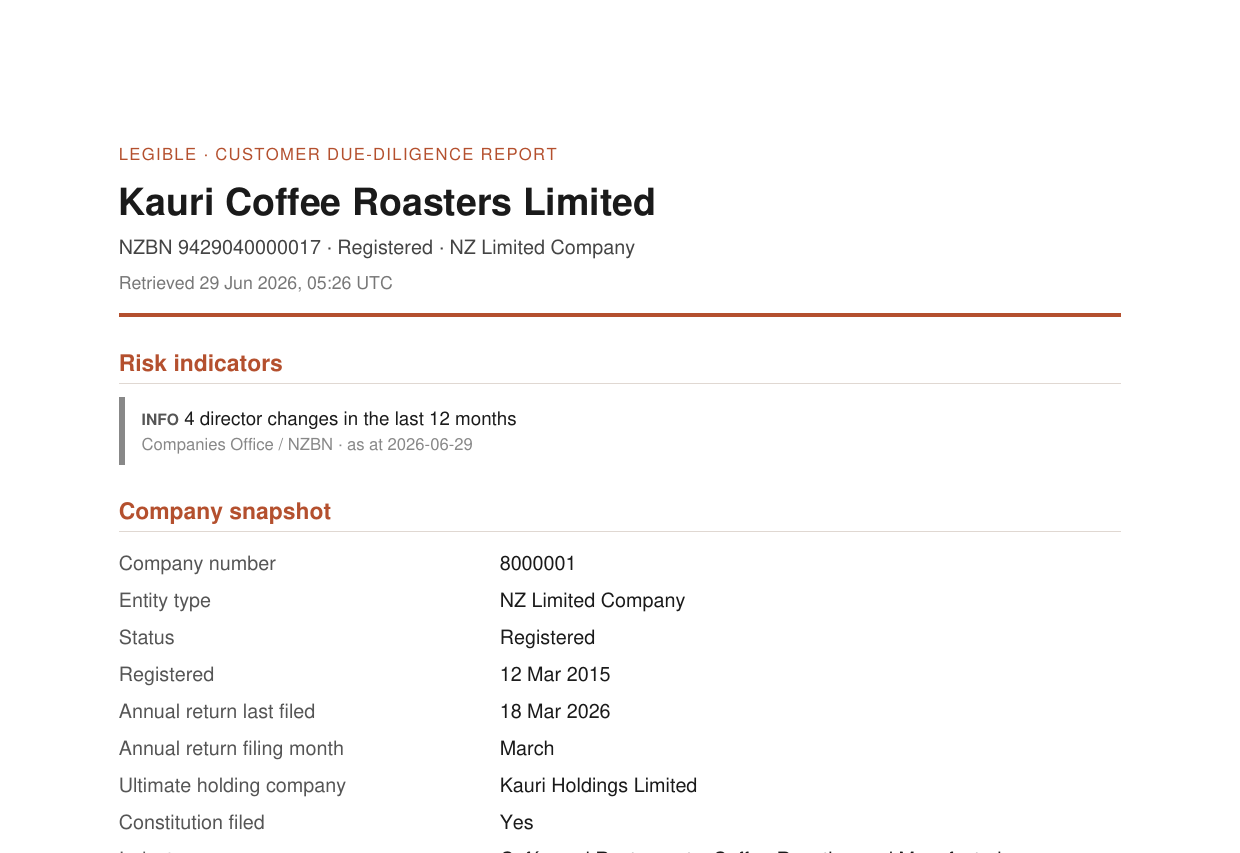
The Download due-diligence report button on a profile generates a PDF of the company snapshot: its details, people, risk indicators and register checks. Everything in it is dated and attributed to its source register, so the report can stand on its own in a client file or onboarding pack.
Fictional sample data.
Professional only. On Free, the button shows an upgrade prompt instead.
Insolvency practitioner league table
Insolvency firms in the main navigation ranks the firms taking insolvency appointments in New Zealand, built from the appointments recorded on the Insolvency & Trustee Service register. Each row shows the firm, its recent case count and how recently it was appointed; open a firm to see the individual cases behind the number.
Cases are grouped by firm name, with branch offices rolled up under the one firm and joint appointees from the same firm counted once, so the count reflects distinct cases rather than appointments. Ranking is by recent activity, not by whether a case is still open. Free — available on any account.
Plans & credits at a glance
| Feature | Free | Professional ($39/mo excl. GST) |
|---|---|---|
| Company search & profile | Unlimited | Unlimited |
| Risk indicators | 4 free-tier signals | Full panel (Gazette, WorkSafe, sanctions, insolvency, PPSR-charges flag, name/director churn) |
| Network graph | 10 views/month | Unlimited |
| Watchlists | Unlimited, with notes | Unlimited, plus daily email change alerts |
| PPSR search | Not available | 5 credits included; extra packs of 10 for $15 excl. GST |
| Due-diligence PDF report | Not available | Unlimited |
Fictional sample data.
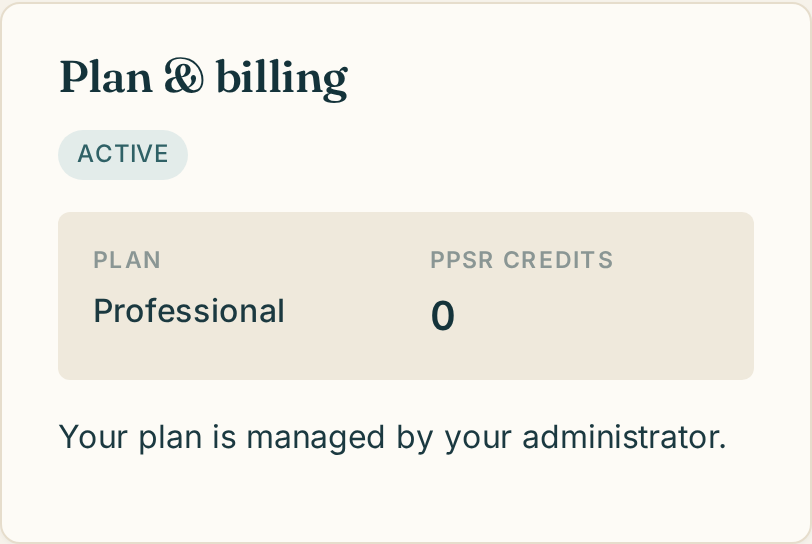
Your plan, renewal date and PPSR credit balance are always visible on Account → Plan & billing, along with an upgrade button (Free) or a "Manage subscription" link and credit-pack purchase options (Professional).
Where the data comes from
Legible doesn't hold a register of its own; it brings New Zealand's official public registers together into one view. Some of the fields below only appear on a profile when the source register actually publishes them for that company or entity type.
- NZBN register
- Entity details, status, entity type, registration date, industry classification, trading names, addresses, and non-shareholder roles (directors, officers, partners, trustees, persons authorised for service). Fetched live on every visit.
- Companies Office Entity Role Search
- Cross-register director lookups that power the network graph's live discovery mode.
- Disqualified Directors register
- Name-matched against every director shown on a profile, with disqualification criteria, dates and known associated companies where matched.
- Insolvency & Trustee Service register
- Liquidation/receivership/bankruptcy history, matched by name (Professional risk panel).
- Personal Property Securities Register (PPSR)
- On-demand financing-statement search: secured parties, collateral and debtors (Professional, credit-metered).
- New Zealand Gazette
- Official notices: liquidator, receiver and administrator appointments, removals, and winding-up applications (Professional risk panel).
- WorkSafe New Zealand
- Accepted enforceable undertakings, name-matched (Professional risk panel).
- MFAT Russia Sanctions Register
- Name-matched sanctions screening (Professional risk panel).
- Charities Register
- Registered charitable status and registration details, shown on the profile where the entity is a registered charity. Refreshed monthly.
- GETS (Government Electronic Tenders Service)
- Government contract awards recorded against the entity. Refreshed monthly.
- Companies Office monthly bulk register
- A monthly snapshot rather than a live feed. Supplies current shareholders (no historical holders or shareholding percentages), registered-office co-location counts, website, GST number, ABN, shareholder type (individual/company/other), ultimate holding company, and the month-to-month "Company history" timeline of register changes. The profile marks these fields with the snapshot date.
Legible is a research aid: it shows you what the public registers say and flags where a match is uncertain. It doesn't provide a credit score, financial advice, or AML/CFT certification. See the pricing page for plan details, or the Privacy statement for how account data is handled.
Getting help
If something isn't working the way this guide describes, or you have a question about your account, billing or a specific company, get in touch and we'll help.